By Gurbaj Singh · Reviewed 28 October 2026
Updated 28 October 2026. This guide combines a review of current Shopify and Google documentation with practical ecommerce SEO checks. Collection-page changes should be tested against your theme, catalogue and customer behaviour. Optimisation does not guarantee rankings or sales.
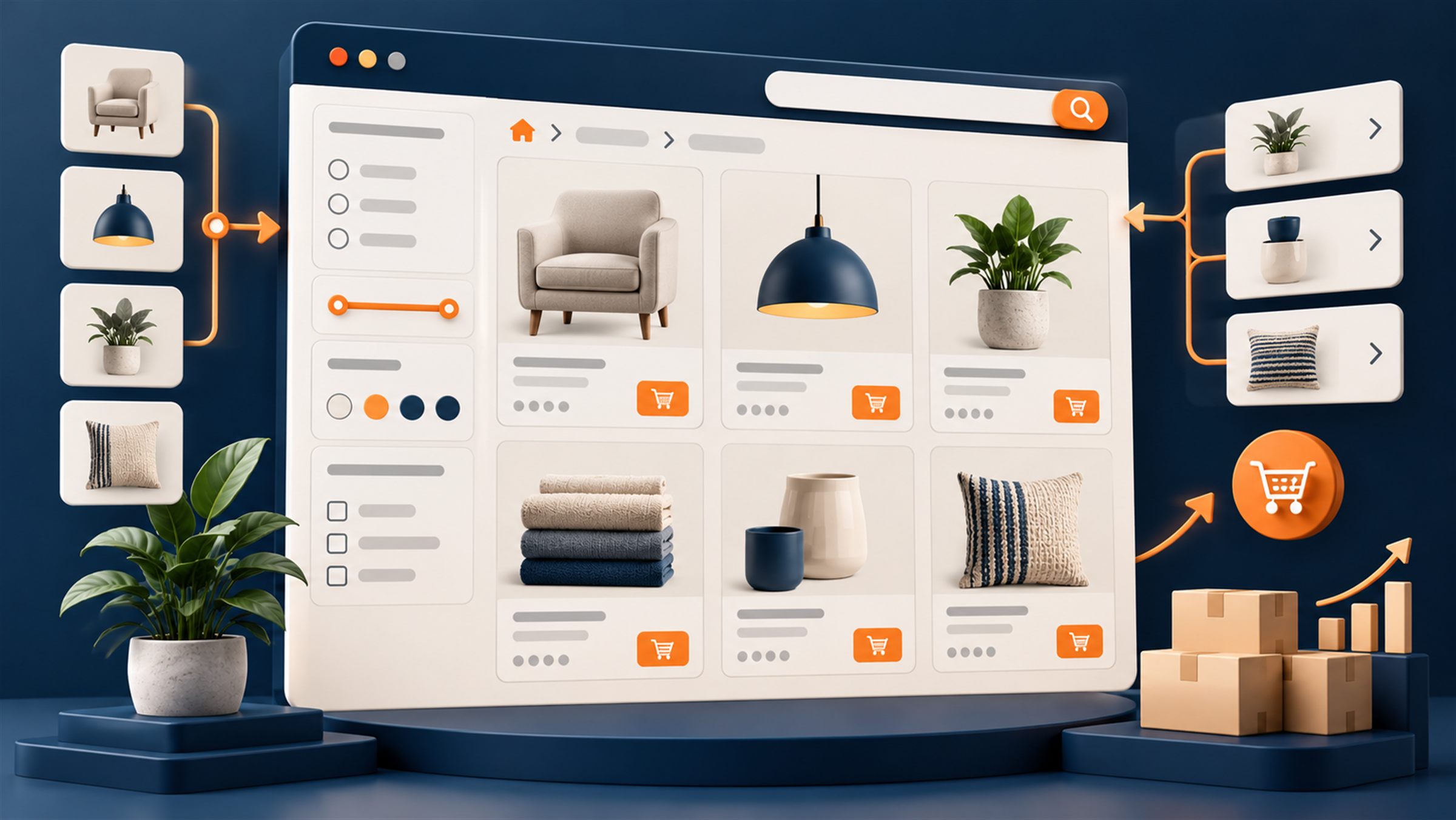
Shopify collection pages are category landing pages. They are where a shopper who searches for a product type, problem, material, fit, price point or use case can compare appropriate products before choosing one. A collection that is only a grid may still be usable, but it gives both search engines and shoppers very little help understanding the category, narrowing the choice or finding the next best page.
The short answer: optimise a Shopify collection around one clear commercial intent, a useful product selection and a decision-making experience. Start with the category a shopper is actually trying to browse. Then make the canonical collection easy to crawl, add only the guidance a buyer needs, control filter URLs deliberately and measure product clicks, add-to-carts and organic performance together.
Do not treat collection SEO as a request for 500 generic words below every grid. The strongest pages make the product range easier to understand and buy from. Their content, navigation and technical setup all reinforce the same category promise.
Why Shopify collection pages matter for SEO and conversion
Product pages usually satisfy a precise search such as a named model, size or product attribute. Collection pages are better suited to broader commercial searches, where the shopper knows the type of product but still wants options. Shopify calls these pages collections, but the job is the same as an ecommerce category page.
That distinction matters. A shopper searching for “men’s trail running shoes” expects a useful range, filters, price and sizing information, not a single product page or a generic blog post. Shopify’s own guidance makes the same point: collections create additional paths for product discovery and can target category-level search demand when the category is genuinely useful.
| Question | Collection page | Product page |
|---|---|---|
| Primary job | Help a shopper browse, compare and narrow a category. | Help a shopper evaluate and buy one specific item. |
| Typical query | “organic dog treats”, “linen shirts for men”, “wireless earbuds under £100”. | “Brand X AirPods-compatible earbuds, black”. |
| Most useful content | Category definition, comparison guidance, filters, product cards, related categories. | Specifications, variants, reviews, delivery detail, product-specific FAQs. |
| Main commercial action | Choose a product or a narrower subcategory. | Add the selected product to cart. |
Collection pages can also support products that would otherwise be difficult for Google to discover through navigation alone. Google recommends a crawler-friendly hierarchy that links from category pages to subcategories and products using standard HTML links. A sitemap and Merchant Center feed can support discovery, but they are not a substitute for a sensible shopper-facing structure.
Map one collection to one clear search intent
Before writing a description or changing a title, define the collection’s job. The important question is not “which keyword can I add?” It is “what selection does the searcher expect, and can this URL fulfil it?” One collection can be based on product type, a use case, material, compatibility, audience, fit, price band, brand or season. It should not try to be all of them at once.
Ahrefs keyword research for the United States, checked on 28 October 2026, shows distinct interest in queries around Shopify collection page, Shopify collection SEO and ecommerce category page SEO. The commercial opportunity for a merchant is not to rank a collection for those SEO terms. It is to use this framework to create real category pages that match the language their own buyers use.
| If the searcher wants… | A good collection strategy | What to avoid |
|---|---|---|
| A broad product type | Create the core collection and show the full relevant range, for example “women’s running shoes”. | Making several near-identical collections for the same range with minor wording changes. |
| A meaningful subcategory | Create a dedicated landing page when inventory, demand and buyer intent are distinct, for example “women’s trail running shoes”. | Creating a thin URL with two products only because a keyword tool suggests a phrase. |
| A use case | Curate products and explain the selection, for example “running shoes for flat feet”. | Using the same stock list and generic copy for every use-case phrase. |
| A filterable attribute | Decide whether it is a shopper-only filter or a search-worthy, indexable collection. | Letting every colour, size and sort combination create an indexable URL by default. |
| A question or comparison | Use a buying guide that links to the appropriate collection if the query is mainly informational. | Forcing an editorial query onto a product grid that cannot answer it. |
Check the live search results before committing. Are the leading results collection pages, product pages, editorial guides, marketplaces, local results or a mix? Then inspect your inventory. If the collection does not contain enough relevant, available choices, a guide or a parent collection may be a better destination. The goal is relevance, not an artificial expansion of the sitemap.
A practical keyword map for one collection
Use one primary phrase that names the category naturally. Add supporting terms only where they describe real differences in the range. For a hypothetical “men’s linen shirts” collection, a sensible cluster might include men’s linen shirts, short sleeve linen shirts for men, long sleeve linen shirts and linen shirts for summer. The page should not claim “beach wedding shirts” unless the products, imagery and guidance genuinely support that use case.
Build a collection page around a buying decision
SEO and conversion are not competing jobs here. A shopper who arrives from Google needs to understand the range quickly. A crawler needs stable, accessible URLs, direct links and meaningful content. The practical design is usually a concise, useful introduction above the grid and deeper guidance after the products, where it does not delay discovery.
| Page element | SEO role | Conversion role |
|---|---|---|
| Breadcrumbs and clear H1 | Explain hierarchy and category relevance. | Confirm the shopper is in the right place and offer a route upward. |
| Two to three sentence introduction | Defines the category in natural language. | Sets expectations about who the range is for and how to choose. |
| Filters and sorting | Must be technically controlled so they do not create wasteful URL combinations. | Reduce choice overload and help a shopper reach the right product faster. |
| Product cards | Make product links and availability clear to crawlers and shoppers. | Give enough information to earn a click: image, price, variant cue, proof and availability. |
| Buying guidance below the grid | Adds distinct, useful information that differentiates the page from a bare archive. | Answers the trade-offs that stop a buyer choosing. |
| Related categories and guides | Strengthen topical relationships and discoverability. | Offer a useful next path when the current selection is not quite right. |
| Delivery, returns and trust access | Supports quality and transparency, not a direct ranking shortcut. | Reduces uncertainty before the product-page click. |
What should appear above the product grid?
Keep the opening short. Use a clear H1, one sentence describing the range, and one sentence that explains the main choice if it helps. A long hero, oversized lifestyle image or 600-word essay can push the actual selection too far down the page, particularly on mobile. If a category needs more detail, move the expanded buying guide, materials notes and category FAQs below the grid.
There is no universal product count or word count. A six-product collection can be useful if it is a genuinely narrow, high-intent range. A 100-product collection can be useful if filters, sorting and merchandising make it manageable. The test is whether the page delivers the choice it promises.
Write metadata and collection copy that earn the click
Every indexable collection needs a distinct title tag, meta description, H1 and on-page introduction. They should agree on the category but do not need to repeat the same sentence. A title tag helps explain the result in search. The H1 tells the arriving shopper what they are browsing. The copy helps them choose.
| Field | Useful pattern | Example |
|---|---|---|
| URL handle | Short, readable, durable and aligned to the category. | /collections/mens-linen-shirts |
| Title tag | Primary category, meaningful differentiator if true, then brand. | Men’s Linen Shirts for Summer | Brand |
| Meta description | Describe selection and a truthful reason to visit. Avoid a generic list of adjectives. | Shop men’s linen shirts in short- and long-sleeve styles. Compare fits, colours and sizes, with clear delivery and returns information. |
| H1 | Name the category in the language the shopper expects. | Men’s Linen Shirts |
| Opening copy | Define the range and its most important buying difference. | Breathable men’s linen shirts for warm-weather dressing, available in relaxed and tailored fits. |
Do not keyword-stuff product-card captions, alt text, H2s and links. That makes a page harder to use and does not make an irrelevant collection a strong result. Write original copy that is specific to the products, materials, compatibility rules, sizes, care, delivery constraints and questions people actually have before purchasing.
A useful collection copy framework
- Orient the shopper: What is in this category, and who is it for?
- Explain the important choices: Which materials, fits, compatibility requirements, sizes or use cases matter?
- Set accurate expectations: Flag range limits, sizing, care, delivery or product-availability points that affect the decision.
- Offer the next best route: Link to a real subcategory or buying guide when it helps, using descriptive anchor text.
That can be 120 words for a simple category or several well-structured sections for a complex one. The right amount is the amount that removes a real decision barrier without hiding the products.
Handle Shopify filters, pagination and duplicate URLs deliberately
Faceted navigation is one of the biggest collection-page risks. Filters are excellent for shoppers, but attributes such as colour, size, price, brand, availability and sort order can create thousands of similar URLs. Google identifies faceted navigation as a common cause of an expanding crawl space, and canonical tags alone are not a complete strategy.
First make a business decision: which filtered combinations deserve their own search landing page? An indexable page should have a distinct intent, sufficient relevant inventory, stable demand and meaningful content. For most filters, the answer is no. They should remain available for shoppers without becoming URLs you aggressively link to, include in a sitemap or ask Google to index.
| URL type | Typical approach | What to verify |
|---|---|---|
| Primary collection | Indexable, self-referencing canonical, included consistently in navigation and sitemap. | 200 status, indexable, one title/H1, correct canonical and direct internal links. |
| Deliberate SEO subcollection | Indexable only if it has distinct demand, inventory and purpose. | It does not cannibalise the parent collection and has unique enough merchandising and copy. |
| Filter or sort parameter | Usually a shopper utility, not a search landing page. | Canonical, internal-link, crawl and indexing treatment matches the chosen policy. |
| Empty filter combination | Do not present it as a useful indexable page. | It returns the correct status or has the appropriate handling for your technical setup. |
| Pagination | Keep pages crawlable with sequential HTML links. | Products are discoverable without needing Googlebot to click a button or trigger a JavaScript action. |
Pagination and infinite scroll
Large collections often use pagination, “load more” or infinite scrolling. That can improve browsing, but Google generally discovers new URLs through actual <a href> links and does not reliably click buttons to reveal more products. Make sure the paginated sequence is linkable and that all valuable products can be found through standard navigation, a sitemap or a Merchant Center feed. Do not assume a visually smooth infinite-scroll experience is automatically crawlable.
Canonical tags are a signal, not a substitute for taxonomy
A canonical tag helps indicate the representative URL among duplicates. It does not fix a category structure that creates lots of thin, overlapping or empty pages. Use a consistent primary URL in your canonical tags, internal links and sitemap. If you change an established collection handle, use a permanent redirect and update major internal links rather than leaving the old URL to compete or break.
Improve product discovery and conversion on the collection
Do not optimise the text while ignoring the grid. Collection pages often lose revenue because shoppers cannot evaluate the products quickly enough. Start with the mobile view. A visitor should be able to understand the category, open filters, identify a likely product and see the crucial purchasing cues without fighting a heavy banner or unclear cards.
Product-card checks that matter
- Use accurate, fast-loading images that make products distinguishable at grid size.
- Show a price that matches the purchasable product or clearly explain “from” pricing.
- Make sale, stock, colour or variant information clear without making every card noisy.
- Use labels such as “bestseller”, “new” or “limited stock” only when they are true and maintained.
- Choose default sorting deliberately. Bestselling may help broad, proven categories; newest may fit frequent launches; manual sorting can support a seasonal story.
- Place delivery, returns, reviews or other proof where they reduce a real hesitation, not as a decorative wall of badges.
Filters should represent meaningful attributes, not every database field. Group them in language customers use. If compatibility is important, let shoppers filter by the compatible device, model or use case. If size is the deciding factor, make size filtering easy to find and keep unavailable options understandable. Then watch filter use, product-card clicks, zero-result states and exits before making broad changes.
Build internal links and a hierarchy Google and shoppers can follow
Internal links tell Google which pages connect and help shoppers move through the catalogue. Google specifically recommends a navigable path from category pages to subcategories and products using crawlable HTML links. A collection that only appears through an on-site search box or a JavaScript interaction is easier to miss.
Use the hierarchy that reflects how customers shop:
Home → parent category → subcategory → product
Then add contextual paths where they make sense. A guide comparing two materials can link to the relevant collections. A collection can link to a fitting guide, compatibility guide or adjacent subcategory. A product page can point back to the category when customers are likely to continue comparing. Avoid a giant “related links” block that connects every collection to every other collection without a shopper reason.
Use descriptive anchors. “View men’s trail running shoes” communicates the destination better than “click here.” Keep the URL consistent in the internal link, XML sitemap and canonical declaration whenever possible.
Structured data: use what applies, do not invent a rich-result shortcut
Breadcrumb markup can help Google understand hierarchy and may support a more meaningful breadcrumb display in search. Validate it with Google’s Rich Results Test after template changes. Product structured data belongs on product pages for real product offers. Do not add product markup to a collection merely because it contains product cards, and do not rely on FAQ markup as a ranking tactic. Structured data should reflect visible, accurate information and help Google understand the page, not manufacture a result feature.
Measure collection-page improvement as a commercial test
Do not declare success because a title tag was changed or because one week’s impressions increased. Search demand, inventory, promotions and seasonality can all move the numbers. Record the baseline, change one meaningful element at a time where practical, and review enough time and traffic to interpret the result.
| Area | What to measure | Why it matters |
|---|---|---|
| Search visibility | Impressions, clicks, query families, average position and CTR in Search Console. | Shows whether the page is appearing for the intended category searches. |
| Indexing and crawlability | Canonical selection, indexability, sitemap presence, crawled URLs and filter URL growth. | Catches technical problems before copy changes are blamed. |
| Category engagement | Filter use, sorting, product-card clicks, scroll depth and exits by device. | Shows whether shoppers can find a relevant option. |
| Commercial behaviour | Add-to-cart rate, checkout progression, conversion rate, revenue per collection session and assisted revenue. | Checks whether more useful traffic and navigation produce worthwhile outcomes. |
| Merchandising quality | Out-of-stock exposure, zero-result filters, duplicate products, unavailable variants and product ranking. | Prevents a search-optimised page from becoming a poor shopping experience. |
Segment by device. A desktop-friendly grid can perform badly on mobile, where most category browsing may occur. Compare a changed collection with an appropriate prior period and, if possible, with similar unchanged collections. Make a note of major promotions, stock changes and template releases so the result can be interpreted honestly.
A practical Shopify collection-page audit checklist
Use this checklist on ten revenue-relevant collections before rolling out template changes across the store:
- Intent: Can you state the one commercial job this collection serves?
- Inventory: Does the range have enough relevant, available products to fulfil that promise?
- Overlap: Is another collection targeting the same query and product set without a distinct purpose?
- Metadata: Are the title tag, meta description, H1 and opening specific, accurate and unique?
- Product discovery: Are the products visible quickly, especially on mobile, with useful cards and filters?
- Technical controls: Are canonical tags, filter URLs, pagination and indexation working as intended?
- Links: Can a crawler and shopper reach the collection from relevant menus, guides and parent categories?
- Hierarchy: Are breadcrumbs and subcategory relationships clear and truthful?
- Trust: Can a shopper find delivery, returns, sizing, support or compatibility information when it affects the decision?
- Measurement: Have you recorded search and commercial baselines before changing the page?
Prioritise the collections with proven demand, margin, inventory depth and a clear gap between impressions and product-page clicks. Fixing ten high-value URLs properly is usually more useful than adding token copy to 200 low-priority collections.
Frequently asked questions
1. Do Shopify collection pages need unique descriptions?
They need accurate information that helps shoppers understand the category and choose products. Do not reuse generic paragraphs across collections. The useful amount of copy depends on category complexity, not a fixed word count.
2. How many products should a Shopify collection contain?
There is no SEO minimum. A collection needs enough appropriate inventory to satisfy the intent it targets. A narrow specialist category can work with few products; a broad category with only two weak matches is unlikely to fulfil a shopper’s expectations.
3. Should filtered Shopify collection pages be indexed?
Only when a filter combination is a distinct, valuable landing page with stable demand, useful inventory and a clear technical strategy. Most colour, size, sort and price parameters should help shoppers without becoming competing URLs in search.
4. Is a long collection description better for SEO?
No. A long description is only useful when it adds real buying guidance. Keep the initial explanation concise above the grid and place detailed selection advice below the products when it helps shoppers decide.
5. What is the best default sort order for a collection?
Choose the order that supports the category’s buying behaviour. Bestselling often works for established broad categories, newest can suit frequent launches, and manual sorting can support a curated range. Review product-card clicks and sales rather than assuming one order is universally best.
6. Does Shopify handle duplicate collection URLs automatically?
Shopify and themes provide some canonical behaviour, but filters, sort parameters, pagination and apps can create additional URLs. Audit the actual rendered canonical tags, links, sitemap and indexation behaviour on your own store after major template or filtering changes.
7. Can infinite scroll hurt collection SEO?
It can cause discovery problems if later products are only revealed after a user action. Keep a crawlable, sequential URL path using standard links or ensure products are otherwise discoverable through direct navigation, sitemaps or Merchant Center.
8. Should collection pages have schema markup?
Breadcrumb markup can help explain hierarchy when it accurately matches the visible page path. Validate structured data after deployment. Do not add markup that does not reflect the page or use it as a shortcut to ranking.
9. How do I prevent keyword cannibalisation between collections?
Give each indexable collection a distinct purpose, product set and query family. Merge or differentiate pages that serve the same intent. Internal links, titles and copy should reinforce the chosen destination rather than split signals between near-duplicates.
10. How long does collection-page SEO take to show results?
It depends on crawl frequency, competition, current indexation, demand, stock and the scale of the change. Validate the technical implementation immediately, then review Search Console and commercial behaviour over a meaningful period rather than expecting a reliable result in a few days.
Official references
- Shopify: Ecommerce category page SEO
- Google Search Central: Ecommerce site structure
- Google Search Central: Pagination and incremental loading
- Google Search Central: Faceted navigation
- Google Search Central: Canonicalization
- Google Search Central: Breadcrumb structured data
Need a collection-page priority plan?
Bring a shortlist of your highest-value collections, their Search Console data and the theme you are using. I will identify which URLs need an intent, content, technical or merchandising fix first. If the opportunity is not meaningful, I will say so before recommending a larger project.